
Pregnancy Weight Gain Calculator
Track your recommended weight gain during pregnancy
This calculator provides general recommendations. Always consult with your healthcare provider for personalized advice.
Pregnancy Weight Gain Calculator might sound like just another tool, but they’re honestly a game-changer. They give you a clear, personalized roadmap for how much weight to aim for during pregnancy, based on your pre-pregnancy BMI, whether you’re carrying one baby or multiples, and sometimes even your age or health conditions. No more stressing over “am I gaining too much?”—this tool offers a range and weekly targets to keep you and your care team in the loop. It’s like a friendly nudge to stay on track for a healthy pregnancy, keeping both you and your baby in good shape.
Where That Pregnancy Weight Really Comes From (Spoiler: It’s Not Just the Baby)
Think all that weight is just your baby? Not quite. The pounds you gain include the baby, sure, but also the placenta, extra blood, amniotic fluid, a bigger uterus, fuller breasts, and fat stores your body tucks away for breastfeeding. That’s why a calculator or chart shows numbers higher than just the baby’s weight—your body’s building a whole support system. Knowing this breakdown helps you look at the scale without freaking out; it’s all part of the incredible process.
How Pregnancy Weight Gain Calculator Work (Simple Math, Big Impact)
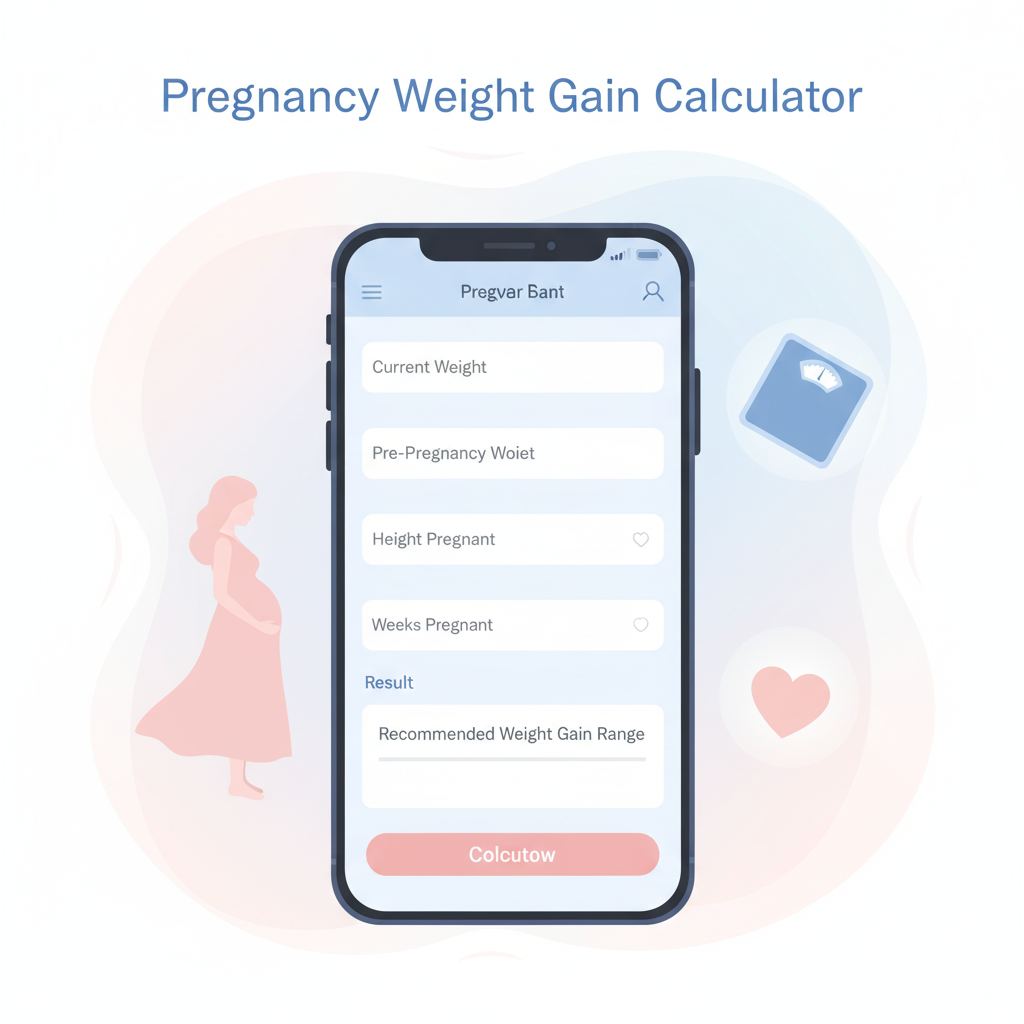
This Pregnancy Weight Gain Calculator is like your pregnancy’s personal math whiz. You plug in your pre-pregnancy weight and height to figure out your BMI, and the Pregnancy Weight Gain Calculator uses that to map out a recommended weight gain range. Some ask if you’re carrying twins or more, your last menstrual period (to estimate how far along you are), or if you have health conditions that affect the plan. They pull from trusted guidelines (like those from major health organizations) to give you a total range and weekly targets. It’s practical, tailored, and keeps you focused.
What “Recommended Gain by BMI” Really Means
Your pre-pregnancy BMI sets the stage for how much weight you should aim to gain. Here’s the gist of typical ranges:
- Underweight (BMI < 18.5): You’ll likely aim for a higher total gain to support a healthy pregnancy.
- Normal weight (BMI 18.5–24.9): A moderate range, often around 25–35 pounds.
- Overweight (BMI 25–29.9): A smaller range, typically 15–25 pounds.
- Obese (BMI ≥ 30): An even lower range, often 11–20 pounds.
These ranges are built to balance your baby’s growth with your health. Gaining too little might affect your baby’s birth weight, while gaining too much could raise risks like gestational diabetes or a tougher delivery. These numbers come from solid research and are the heart of most calculators.
Trimester Trends: What Pregnancy Weight Gain Calculator Shows (and Why It’s Helpful)
Weight gain during pregnancy isn’t a straight line—it ebbs and flows. Here’s how calculators typically break it down:
- First trimester: Expect a small gain, often 1–4 pounds, since nausea or food aversions can make eating tricky.
- Second trimester: Things pick up with steady weekly gains, adding up through weeks 28–30.
- Third trimester: The biggest chunk of gain happens here, with a consistent rise.
This breakdown lets you spot if you’re gaining too fast later on or barely gaining at all—both are worth a chat with your doctor or midwife. It’s all about catching trends early.
Tracking vs. Judging: Keeping It Real
A Pregnancy Weight Gain Calculator is your teammate, not your critic. If your numbers stray from the recommended range, it’s not about guilt—it’s a signal to talk to your provider. Weight trends can hint at nutrition gaps, fluid retention, or conditions like gestational diabetes. Think of the calculator as a thermostat: it shows you what’s happening so you can tweak things as needed, without judgment.
How to Use a Pregnancy Weight Gain Calculator (Step-by-Step)
Ready to dive in? Here’s how to use a Pregnancy Weight Gain Calculator like a pro:
- Input your pre-pregnancy weight (or your best guess if you’re not sure).
- Add your height so the calculator can figure out your BMI.
- Let it know if you’re expecting twins or more—multiples change the targets.
- Enter your current gestational age or due date for weekly breakdowns.
- Get your personalized total range and weekly goals. Check in weekly or every other week, focusing on trends, not daily ups and downs.
No need to stress about every weigh-in—look at the bigger picture over weeks.
Understanding Your Results: Ranges, Red Flags, and Provider Chats
Your Pregnancy Weight Gain Calculator will spit out a total recommended gain and a week-by-week curve. If you’re consistently above or below the range for a few weeks, it’s time to check in with your provider. They’ll look at your diet, activity, health history, and baby’s growth. Watch for red flags like sudden weight spikes (which could point to fluid retention or preeclampsia) or no gain in the second trimester (which might affect your baby). Calculators guide you, but your provider makes the final call.
Practical Tips to Meet Your Calculator Goals (No Diet Nonsense)
Want to stay on track? Here’s some real-world advice:
- Eat nutrient-packed foods: Focus on quality over “eating for two.” Think protein, iron, calcium, folate, and fiber.
- Snack smart: Grab nuts, yogurt, fruit, or hummus with veggies—easy and nourishing.
- Stay active: Walking, prenatal yoga, or swimming can help, but check with your provider first.
- Drink up: Water supports your increased blood volume and fluid balance.
- Rest and de-stress: Good sleep and stress management help your eating habits and metabolism.
Extra calories? You don’t need a ton in the first trimester, but you’ll want a bit more in the second and third. Talk to your provider for specifics.
Special Cases Calculators Account For (and How They Adjust)
Some pregnancies need extra attention, and calculators adjust for:
- Multiples: Twins or triplets mean higher totals and faster gains.
- High or low BMI: Underweight or obese starting points shift the ranges significantly.
- Health conditions: Diabetes or hypertension change the plan—calculators are just a starting point.
- Teens or unique heights: Your needs might need extra personalization.
If any of these apply, use the Pregnancy Weight Gain Calculator as a guide, but lean on your care team for tailored advice.
Why Weekly Targets Beat Total-Only Trackers
A total weight goal is fine, but weekly targets are where it’s at. They help you catch sudden changes early—like if you’re gaining too fast or not enough. Small tweaks to diet or activity can keep things steady, and weekly check-ins make the process feel manageable, not overwhelming.
How Accurate Are These Calculators, Really?
Calculators are solid for giving evidence-based ranges, but they’re not fortune-tellers. Every pregnancy is unique, and real-world factors vary. Pair calculator results with your provider’s checkups—like ultrasounds, fundal height measurements, and lab work—for the full picture. Think of it as a map, not a strict rulebook.
What a Healthy Weight Gain Curve Looks Like
A healthy weight gain curve starts slow in the first trimester, picks up with a steady climb in the second, and keeps rising in the third. The exact slope depends on your BMI—underweight folks see a steeper curve, while obese folks have a gentler one. Charts make it easier to visualize your progress than numbers alone.
Busting Common Pregnancy Weight Gain Myths
Let’s clear up some nonsense:
- Myth: You need to “eat for two.”
Truth: You only need a modest calorie boost, especially later in pregnancy—focus on nutrient quality. - Myth: More weight means a bigger, healthier baby.
Truth: Too much gain can raise risks without making your baby healthier. - Myth: If you’re overweight, don’t gain anything.
Truth: Even if you’re overweight, some gain is recommended for your and your baby’s health.
Using Your Calculator for Postpartum Planning (No Shame)
Your calculator isn’t just for pregnancy—it can help you set realistic postpartum goals. It shows how much of your weight is temporary (like placenta or fluid) versus fat stores. This gives you a starting point for gradual postpartum changes, focusing on strength, breastfeeding, sleep, and feeling good—not crash diets.
How Your Provider Uses Calculator Results
At checkups, your midwife or OB compares your weight trend to the recommended curve, alongside blood pressure, urine tests, and baby growth checks. If something’s off, they’ll dig into diet, glucose levels, or signs of preeclampsia. Your calculator results are a conversation starter, not the whole plan.
Build Your Own Simple Tracker (Low-Tech Style)
Not into apps? Grab a notebook. Weigh yourself weekly—same day, time, and scale—and jot it down. Plot your points on a printed calculator chart or sketch your own. Note symptoms like nausea or swelling for context. This simple habit helps you spot trends early.
Privacy Tip: Protect Your Data
Many calculators are free and ask for minimal info, but apps might collect more. If privacy matters to you, check the app’s policy to see if they share or sell data. When in doubt, track offline with a notebook or a trusted clinic tool.
Quick BMI Math (Why It Matters for Calculators)
BMI is simple: weight (in kilograms) divided by height (in meters) squared. Calculators do this for you, but knowing the math shows why height is as key as weight in setting your gain range. Different heights with the same weight can land you in totally different BMI categories.
When to Call Your Provider
Reach out if you notice:
- Sudden weight gain in a week, especially with headaches, vision changes, or swelling.
- Little or no gain for weeks in the second trimester.
- Worrying symptoms like severe pain, bleeding, or less baby movement.
When in doubt, call. Your care team’s there to help.
FAQs: Pregnancy Weight Gain Calculator
What does a calculator need to work?
Your pre-pregnancy weight, height, gestational age or due date, and whether you’re carrying multiples. Some ask for age or health conditions for extra precision.
How much should I gain if I was underweight?
If your BMI was under 18.5, you’ll likely aim for 28–40 pounds, depending on your exact BMI and health. A calculator will give you a custom range.
Does the calculator change for twins?
Yup—multiples mean higher totals and different weekly targets. Make sure your calculator supports multiples or ask your provider.
Can I use a calculator to diet during pregnancy?
Nope. Calculators are for healthy gain, not weight loss. Don’t try to lose weight unless your provider gives you a specific plan—focus on balanced eating.
How often should I weigh myself?
Once a week, at the same time (like morning), is plenty. Look at trends over weeks, not daily changes.
FAQs: Weight Gain Pregnancy Calculator (Keyword-Specific)
Final Checklist: Get Started Today
- Find a reliable calculator from a trusted health organization.
- Enter your pre-pregnancy weight and height.
- Track weekly, focusing on trends.
- Share your results with your midwife or OB at visits.
- If you’re off the curve for a few weeks, book a check-in.
Parting Thoughts (Real Talk)
Pregnancy weight can feel like an emotional rollercoaster, but it’s also a science. A calculator gives you clarity without the guilt trip. It’s about supporting you and your baby to thrive, not chasing perfection. Track your trends, talk to your provider, and give your body some love—it’s doing something extraordinary.